"I love writing Essays but was always resistant to Notes — this helps me focus and is so much fun to brainstorm with!"
Emilia, Take One Weekly
No subscription · Lifetime access · 7 day refund if not for you Uses your own Anthropic API key
What is it?
A workstation for artists who write.
For most of us, the writing around the work has become its own job.
Captions, posts, scripts, newsletters, bios — the layer that decides whether the work is ever found at all.
The Substack Workstation is what I built so that layer would stop eating my week.
You bring the thought. It handles the form.
Built by a creative for creatives — the ones who need their week back for the serious work:
writing books
recording albums
making films
It solves the content problem, so you can free the art.
What it does
A guided workspace for writing your week of Notes
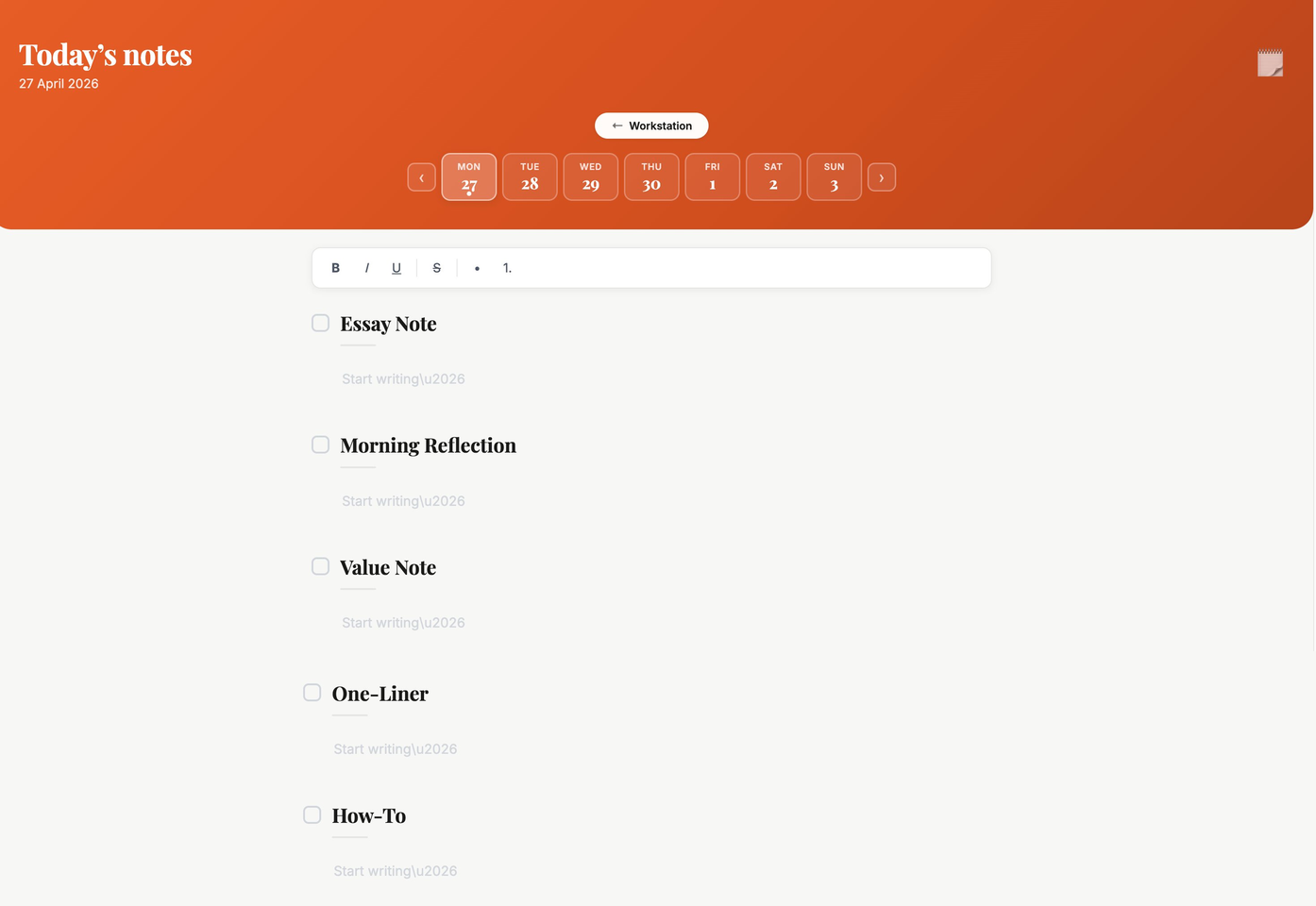
The Notes Cadence — seven core forms with Notes Only, nine with the Full Workstation.
Morning Reflection
A meditation for the moment before the day begins.
Value Note
For the lesson you've earned the hard way and want to share.
One-Liner
One line. The most compressed truth you can find that day.
How-To
Your knowledge, packaged so it helps others.
Back Story
A piece of personal history so subscribers get to know you.
Project Update
A daily missive to keep your audience close to the work as it builds.
Pain Points
To share the difficult realities you face in the creative life.
The Core Problem:
Artists have to choose between building an audience and becoming world class. Most days, only one of those happens. The Substack Workstation is the bridge — it turns the showing-up into a system, and gives the rest of the day back to the art.
Simple pricing
One payment. Yours forever. Every future update included.
Real feedback from Substack writers using the Workstation
⭐⭐⭐⭐⭐
"Jim Kroft's Substack Workstation creates something many creatives struggle to find: space to actually focus and follow an idea through. As someone who works closely with artists, writers, and entrepreneurs, I've seen how difficult it can be to distill inspiration into an actualized project. So many people are full of ideas, but lack systems that support consistency, clarity, and meaningful creative engagement. What I appreciate about Jim's approach is that it feels both thoughtful and accessible. The Notes page, especially, encourages a rhythm of showing up without overcomplicating the process. It helps transform creativity from something abstract into something lived and practiced. Jim is an inspiring artist and storyteller whose work across music, film, and writing reflects a deep understanding of the creative process, and this system feels like an extension of that generosity. Don't miss out!"
"I love writing Essays but was always resistant to Notes — this has helped me focus, save time and is so much fun to brainstorm with!"
E
Emilia
Take One Weekly
⭐⭐⭐⭐⭐
"Jim has created something truly magical for creators who are too busy creating to think about posting regularly on Substack Notes. After a bit of setup, this tool makes coming up with downstream content effortless."
"I don't think there is anything like this on the market — unbelievable value!"
NH
Nat Hall
⭐⭐⭐⭐⭐
"This workstation is solid! Creating a system to make things more efficient has been a huge goal of mine (and should be for anyone). This workstation learns and shows how to really connect AI with the reader, and I LOVE the ease of the Voice Profile. The interface is super clean, and the different value-driven prompt makers are brilliant. The ease of tools is perfect! The workstation lets me create different Notes with different motivations and positioning with surprising ease and keeps things organized. I think we've all tinkered with prompts to help make notes, but this is different and significantly more intuitive. This is seriously a fantastic tool!"
"I am obviously biased because I designed it — but what I love about the Workstation is that using it is like having a daily crash course in digital writing!"
JK
Jim Kroft
The Creative Life
FREE TRIAL
Not ready yet?
Try the full Workstation free for three days. No credit card. Inside in seconds.
Three days of full access — all nine Notes forms and the Essay tools. Then it's yours to keep, or not.
Go Pro with the Full Workstation
Everything in the Notes Workstation, plus the tools that turn one essay into a full week of presence on your Substack.
✦
Essay Editor
Five world-class editing passes on your draft. Structure, line edits, voice, rhythm, and a final read.
✦
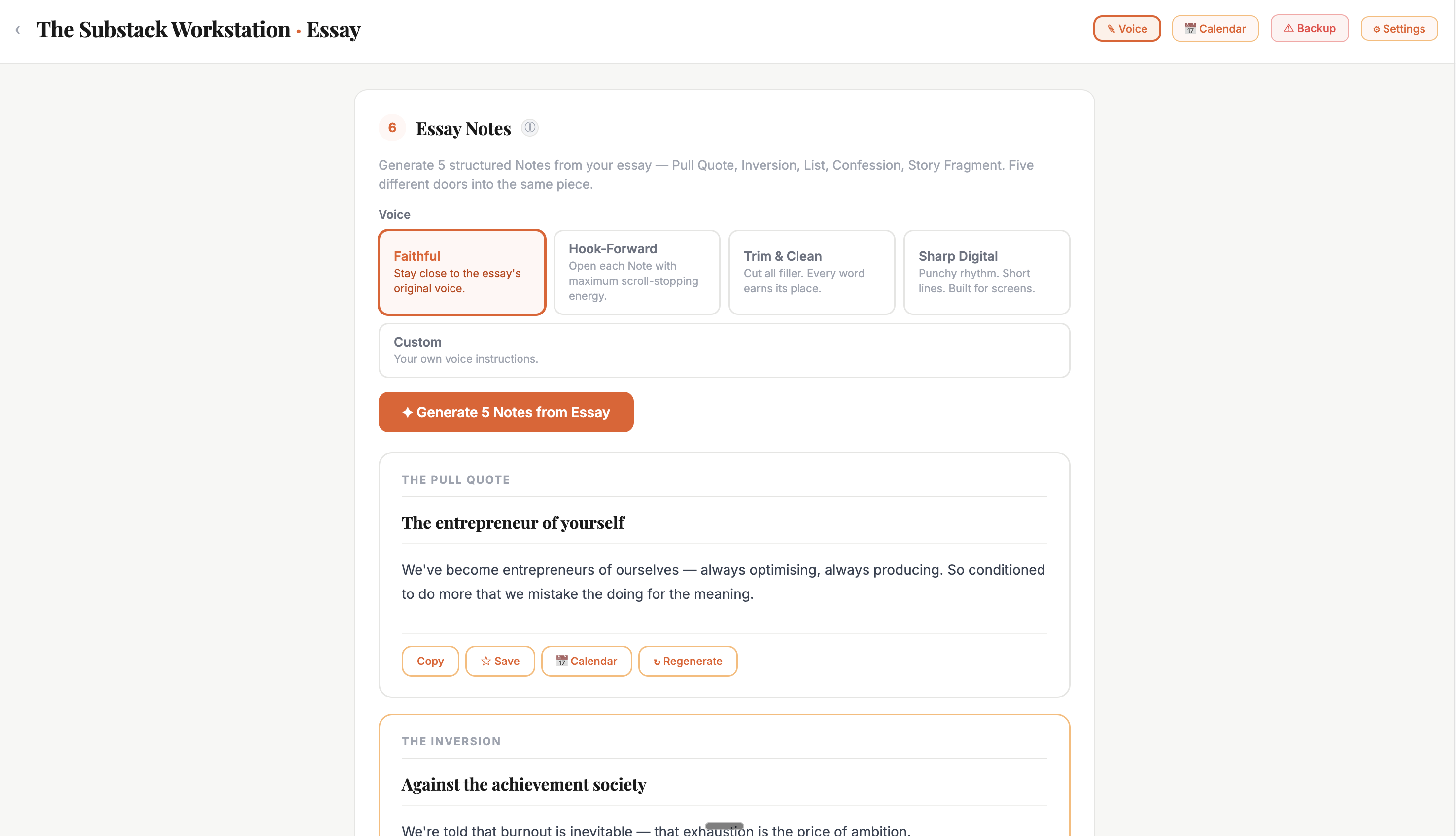
Essay to Notes
Turn one essay into five Notes for the week. The eighth form in the Full Workstation's Notes practice.
✦
Comment to Note
The smartest writers on Substack grow through their comments. This turns the ones worth keeping into Notes of your own. The ninth form.
✦
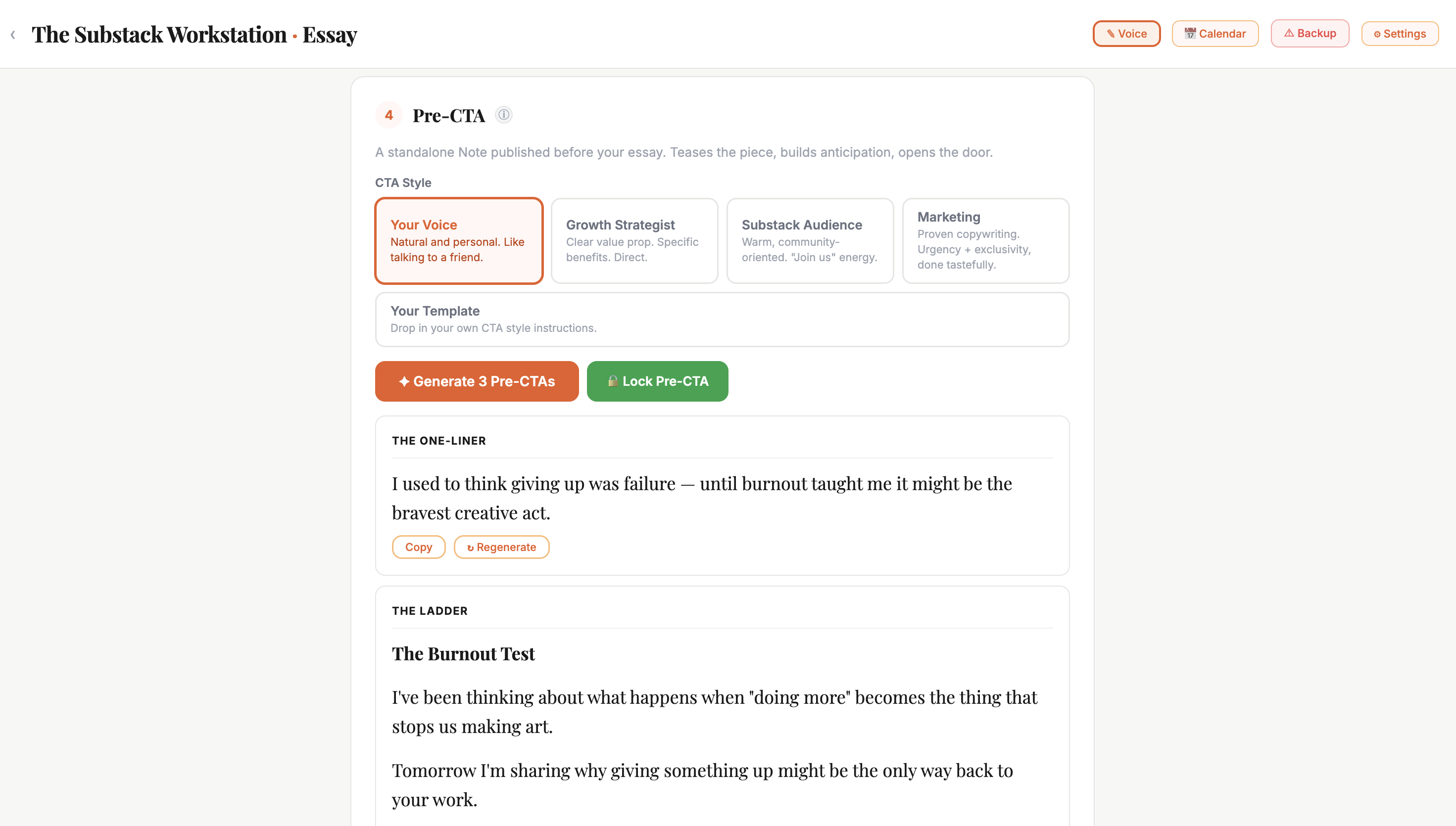
Pre-Launch CTA
A Note to publish the day before your essay drops, building anticipation in your subscribers.
✦
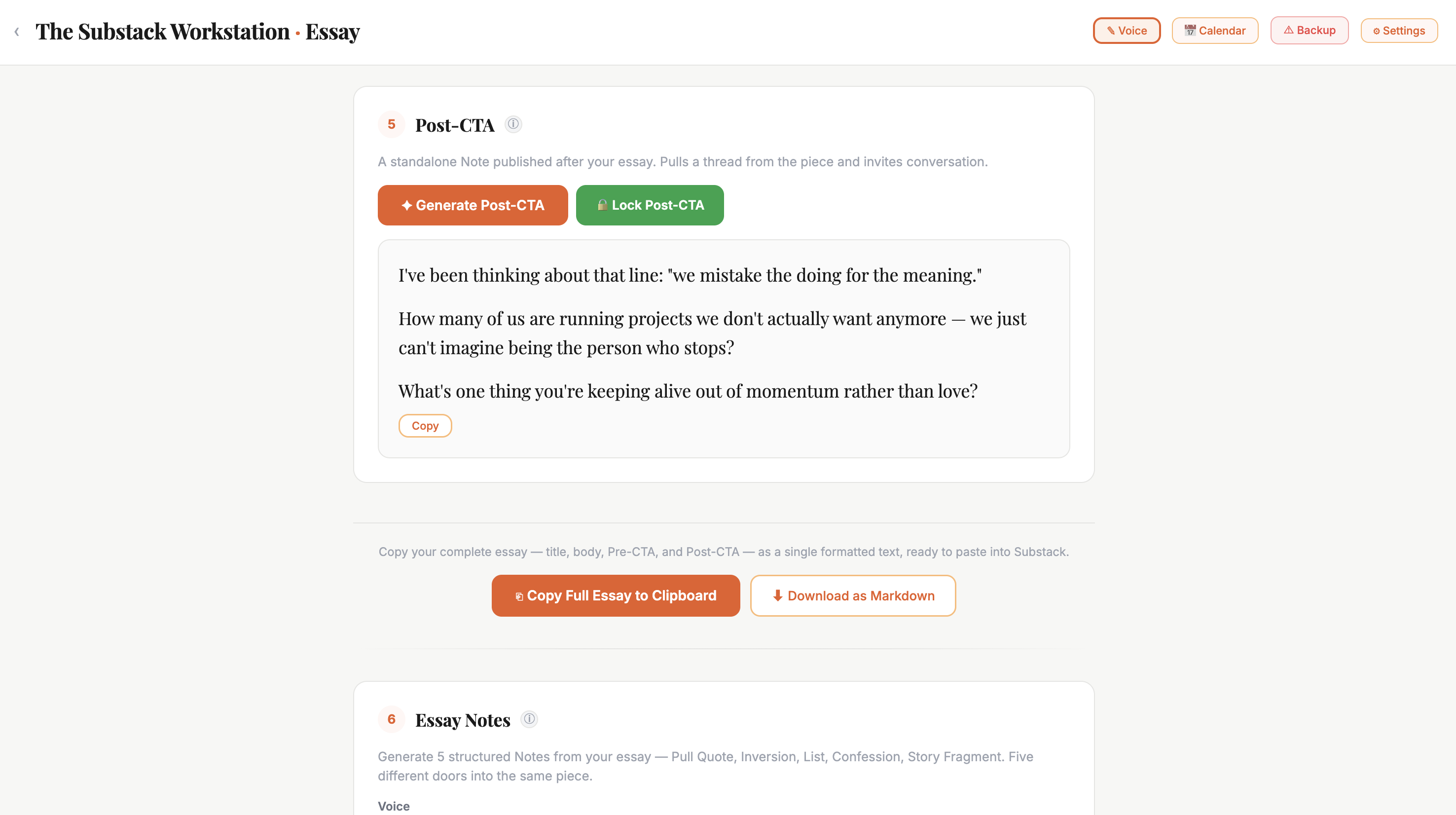
Post-Launch CTA
A Note for the day after, drawing readers back to the work and inviting the conversation.
✦
Content Calendar
Finally, a content calendar designed by a creative.
Essay Notes
Pre-CTA
Post-CTA
Content Calendar
Who Is This For?
"Be so good they can't ignore you."
— Steve Martin
For you if —
✓ You are serious about growing your audience.
✓ You want a Notes practice that gives you back time for improving artistically.
✓ You see digital writing as a craft worth learning.
Not yet if —
✗ You are new to Substack and are still finding your voice.
✗ You want a tool that writes for you.
✗ You feel sick at the idea of developing an idea with AI.
A personal note
I built The Substack Workstation because I was serious about growing my own Substack — and I was running out of time to do it.
Substack is an extraordinary platform. There's a real opportunity here for working creatives. But most of us are already juggling work, life, and the publishing on top of it. The hours that should go into the art keep getting eaten by the work of building an audience for it.
I'd spent years studying how the writers and creators I admire most actually show up online. They had different voices, different platforms, different obsessions. But they shared one trait: they had a system. Something that took the daily decision out of it.
The Substack Workstation is that system. Seven Notes forms that help you shape what you're already thinking.
I've been a musician for 23 years (released through EMI, among others) and a filmmaker with documentaries in 150+ festivals worldwide. I know what it costs to be both artist and content creator. This is the bridge I built between the two — and after four months of building it, I can tell you: it's a hell of a lot of fun, too.
I'm excited to put it in your hands.
— Jim Kroft
"Think of it less like a content tool and more like a very good interviewer who knows exactly what to ask to get the best out of you."
— Jim Kroft, designer
How it works
It learns your voice.
Most tools that claim to write in your voice don't actually know you. The Workstation does — in three layers.
One
Three writing samples.
You paste three pieces of your own published writing when you set it up. The system learns your style.
Two
Your live Substack.
Every time you open the Workstation, it reads your two most recent essays. Your voice evolves. The Workstation evolves with it.
Three
A voice profile.
All of that distills into a profile that shapes every Note. When you draft something, it starts with you — not a template.
Your voice — not a template, not someone else's.
Details
The Workstation uses a writing engine made by Anthropic — the company behind Claude. Here's how it works, no hidden costs.
Anthropic gives you a key. You paste it in once and forget about it.
3
Each Note costs about two cents
Most writers spend under €1 a month.
4
You set the cap, no surprise charges
A monthly limit on the Anthropic site. You pay Anthropic directly for what you use — never us.
Think of it like buying a coffee machine. You own the machine. The beans are the only ongoing cost.
Both tiers give you the full Notes practice. The Full Workstation adds the essay suite.
Feature
Notes Only €49
Full €99
Seven core Notes forms
✓
✓
Voice matching
✓
✓
Refinement and variations
✓
✓
Save and revisit favourites
✓
✓
Essay to Notes, Comment to Note
—
✓
Essay Companion
—
✓
Before & After CTAs
—
✓
Publishing Rhythm
—
✓
Payment
One-time
One-time
Sit down. Choose. Begin. The whole thing takes under fifteen minutes.
1
Set up your voice (once, five minutes)
Paste in a sample of your real writing and tell the Workstation how your sentences move. It reads you from then on.
2
Bring a seed thought
A line from your morning. An idea from last week's essay. You don't need a plan — just a thread to pull on.
3
Shape it to your standard
Edit the draft directly, or steer it in plain language: “Make the opening punchier.” “End with a question.” You stay in control.
The Workstation uses a writing engine made by a company called Anthropic. Think of it like this: the Workstation is the kitchen, and Anthropic provides the ingredients. You create a free account on their site, paste a key into the Workstation, and you're connected. Each time you work on a Note, it costs about two cents — paid directly to them, not to us. You can cap your spending so there are never surprises.
No. You buy the Workstation once, and it's yours. The only running cost is the tiny per-use fee you pay to Anthropic for each Note you shape (about €0.02 each). Even heavy daily use costs around €3–4 per month. Most writers spend less than €1. You can set a hard spending cap so you're always in control.
Yes. Start with Notes Only, and if you want the essay suite later, upgrade to the Full Workstation. You only pay the difference. Your voice profile, saved Notes, and everything you've built carries forward.
When you first set up the Workstation, you fill in a short voice profile — your writing style, your themes, how your sentences tend to move, and a sample of your actual writing. It takes about five minutes. From then on, everything the Workstation helps you shape sounds like you. The more you put in, the more natural the result.
No. The entire Workstation runs in your browser. Your key, your voice profile, your saved Notes — all stored locally on your device. Nothing goes through our servers. Your writing goes directly from your browser to Anthropic and back.
Yes. The Workstation doesn't connect to your Substack account. You work inside it and copy the Notes out when you're ready. It works with any Substack, any niche, any subscriber count. Your voice stays yours.
Fourteen-day refund, no questions. Email me and I'll sort it the same day.
Yes. LinkedIn, YouTube, X, and Instagram Workstations are in development. When they launch, they'll be available separately. But right now, the Substack Workstation is built for one thing — helping you show up consistently on Substack — and it's built to be excellent at that.